
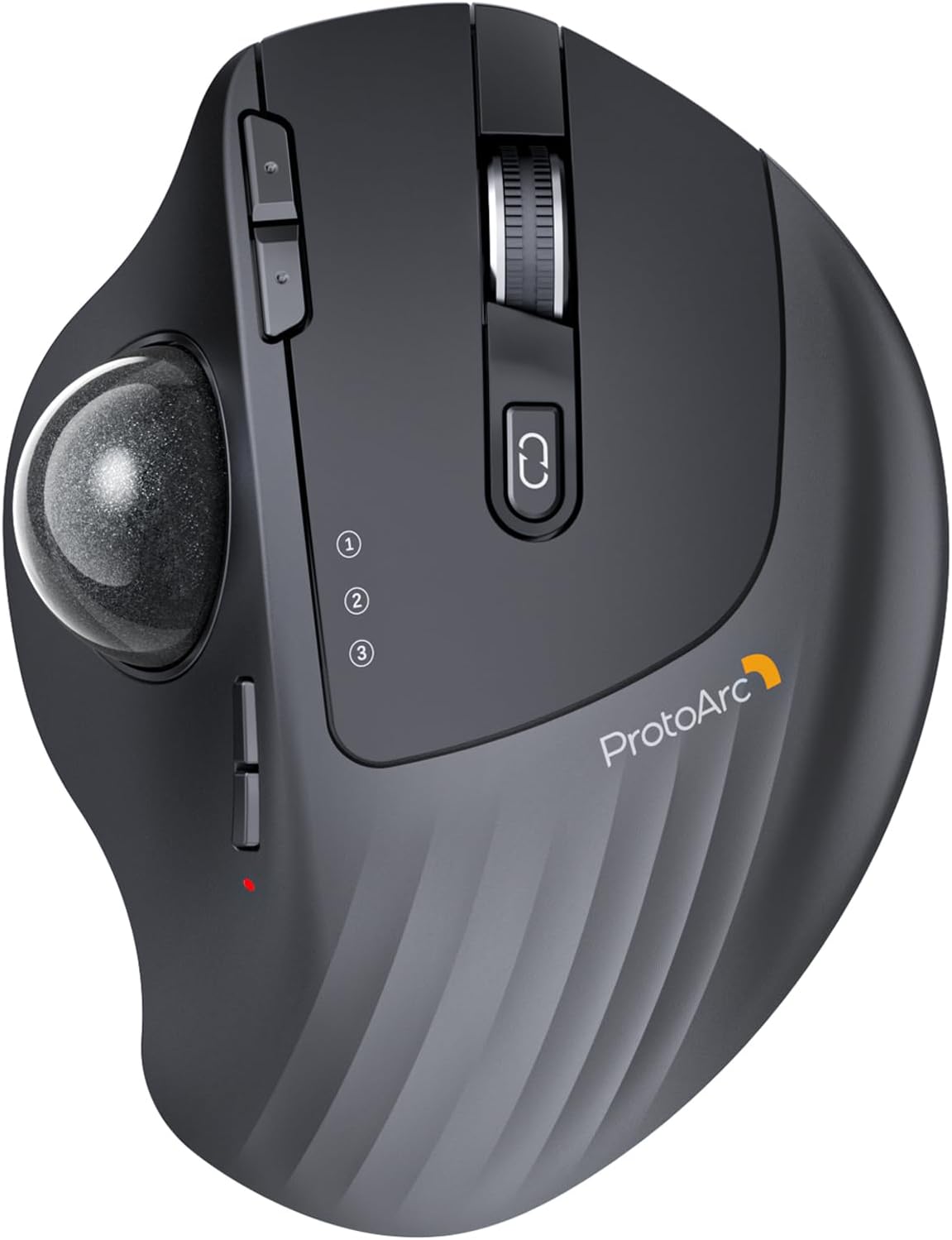
ProtoArc Wireless Trackball Mouse, EM01 NL Ergonomic Bluetooth Rollerball Thumb Rechargeable Computer Laptop Mouse, Adjustable Angle & 3 Device Connection for PC, Mac, Windows-Gray Ball
Price: $44.99 - $39.98
(as of May 20, 2026 02:29:03 UTC – Details)

Product description
ProtoArc EM01 NL Wireless Trackball Mouse
The video showcases the product in use.The video guides you through product setup.The video compares multiple products.The video shows the product being unpacked. EM01 NL wireless trackball mouse Merchant Video
 Bluetooth & 2.4G Wireless
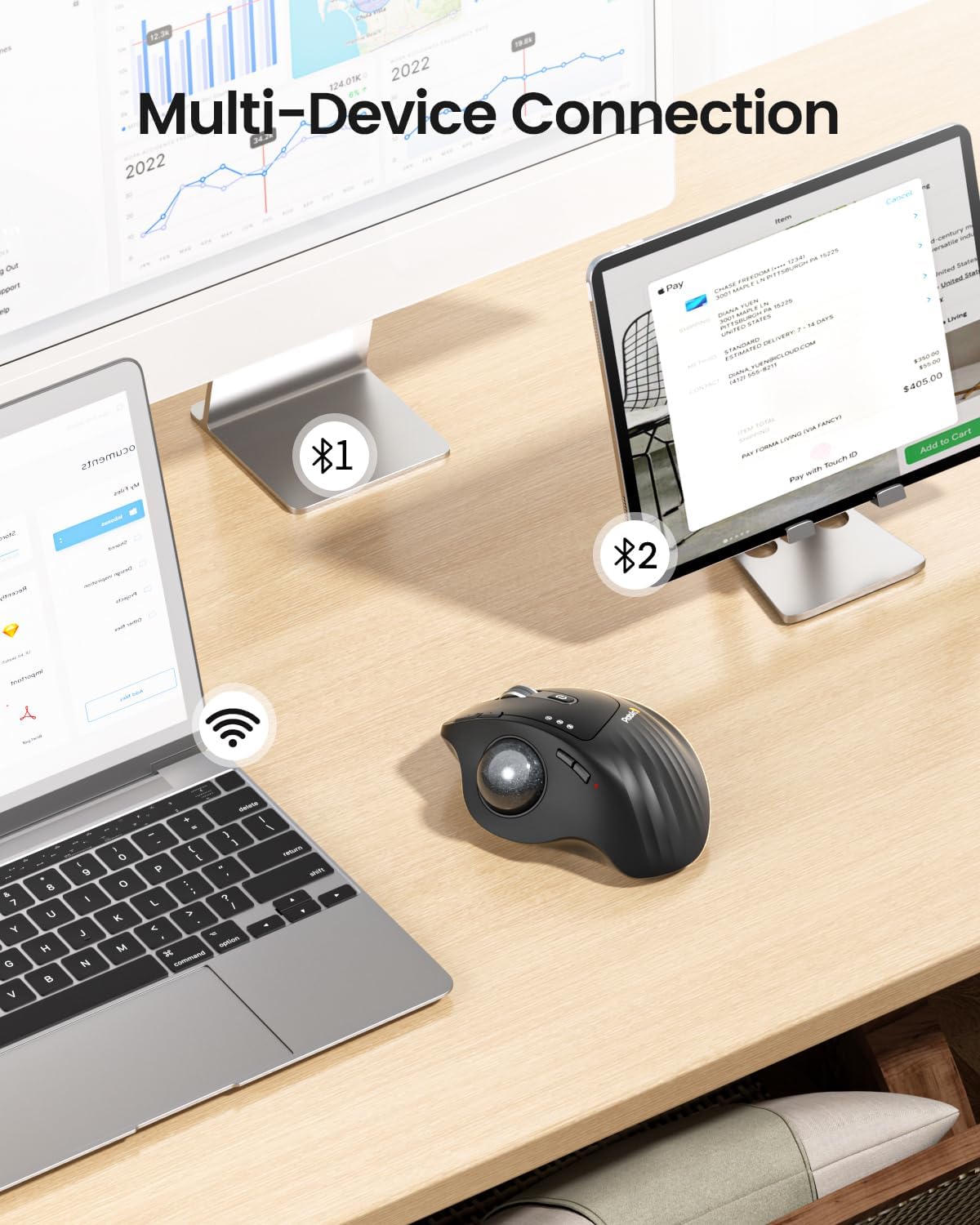
Switch freely between Android, tablet and Mac with just one button
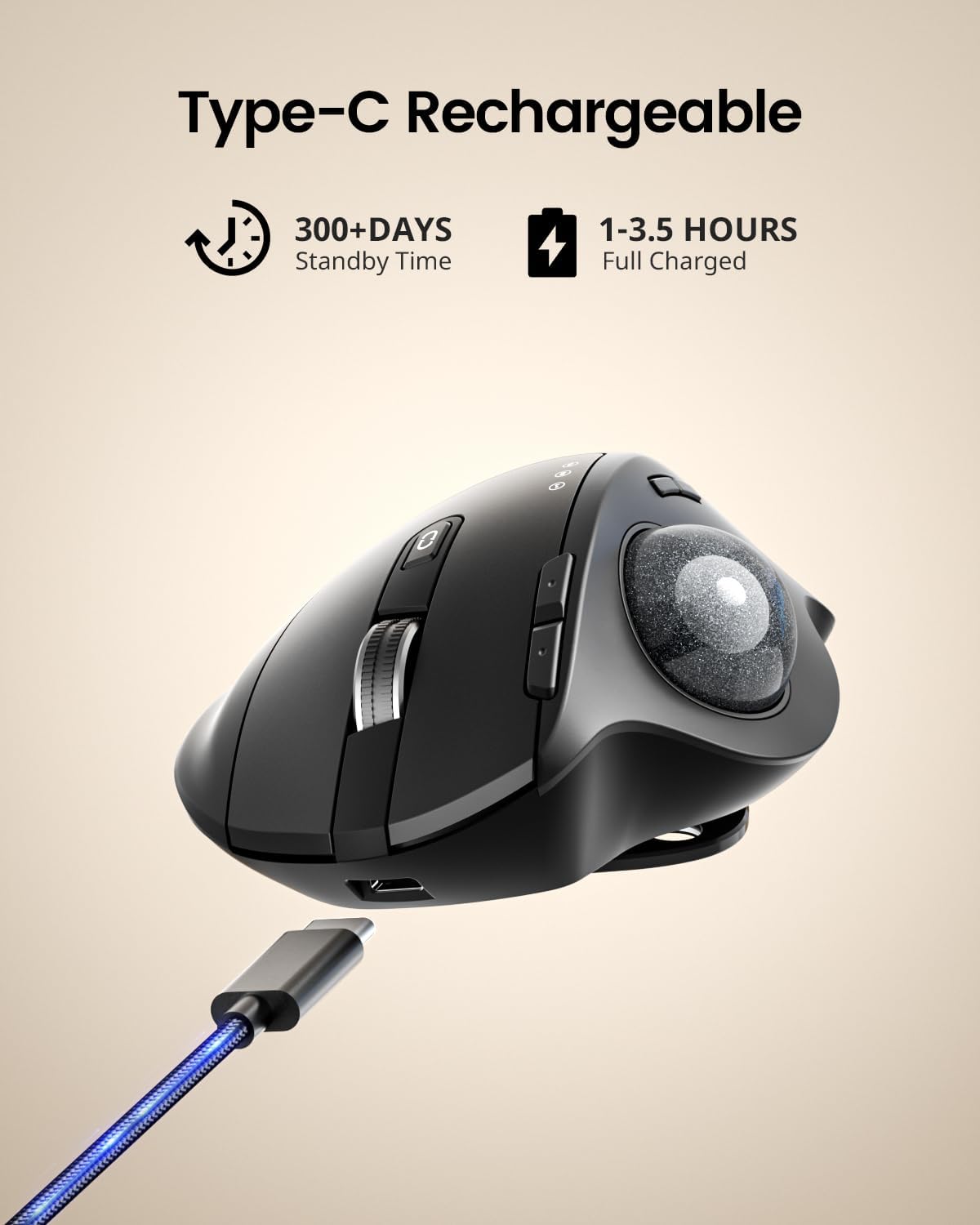
 900mAh Large Battery Capacity
Easily charge the mouse with the included usb c charging cable anytime anywhere

1 Multi-Device Connection
2 Rechargeable Mouse
3 Different Scenarios


1 Ergonomic Trackball Mouse
2 Adaptation Time
3 Measure Your Hand First
4 Product Features
Keep Your Trackball Rolling Smoothly
Is your trackball feeling sticky, jumpy, or less responsive? Over time, dust, oil, and dead skin cells build up inside the mechanism, causing the ball to drag or the cursor to skip. In this video, we’ll show you how to give it a proper clean. Regular maintenance restores that silky-smooth glide, ensures precise cursor control, and extends the life of your device. A few minutes of care makes all the difference!
The video showcases the product in use.The video guides you through product setup.The video compares multiple products.The video shows the product being unpacked. EM01 NL Trackball cleaning video Merchant Video
Warm Tips for EM01 NL Wireless Trackball Mouse
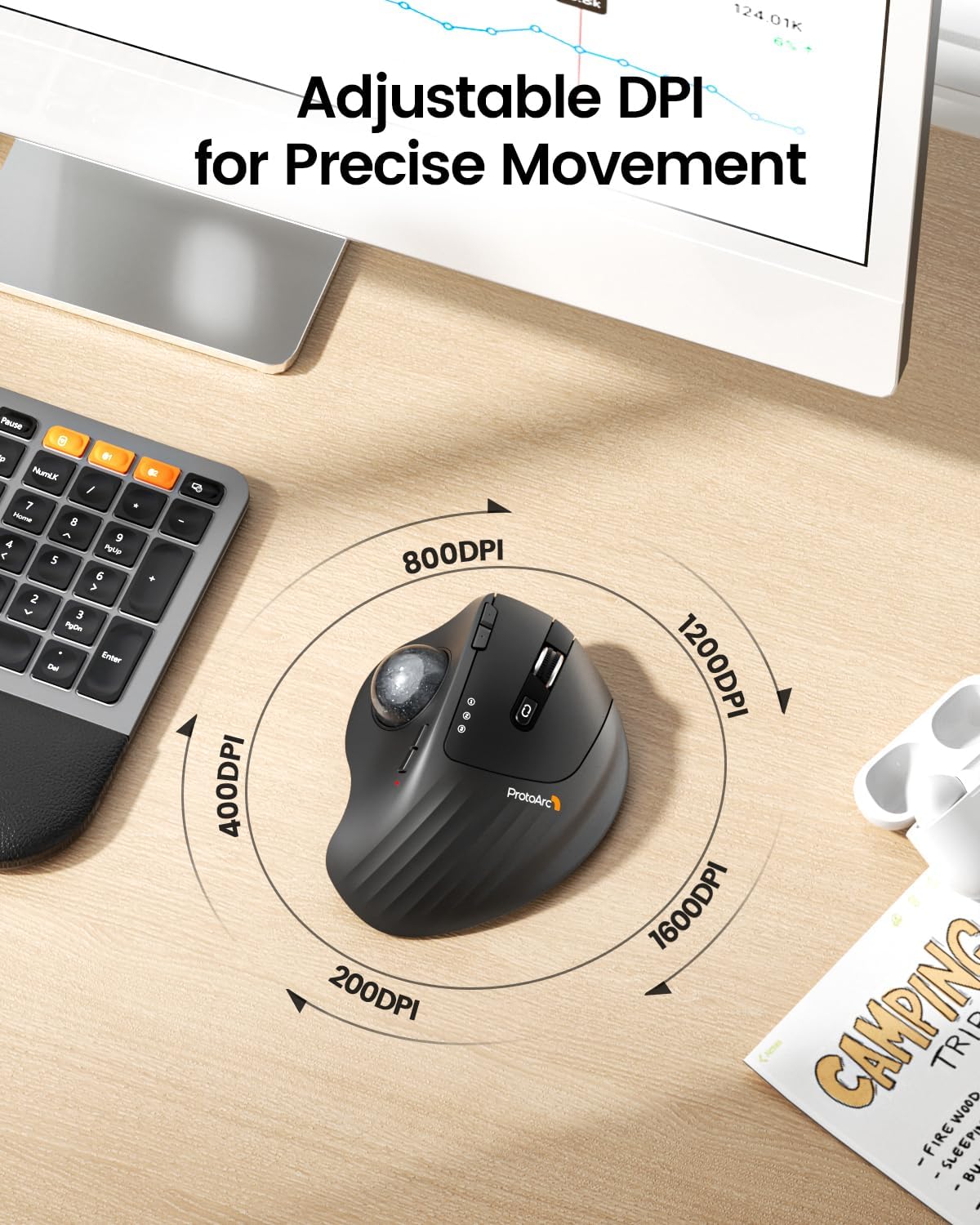
The trackball mouse offers a distinctly different feel compared to traditional mice and may require some time to get used to. For first-time users, we recommend starting at 200/400 DPI and adjusting only once you feel comfortable.This product does not support horizontal scrolling (tilt function).This product is not recommended for tasks that demand extremely fine cursor control or high precision, such as image editing or CAD design.For users with smaller hands (measured less than 17.5 cm from the base of the palm to the center), the size of this product may be too large to hold comfortably.Please note that using a USB charging cable purchased separately may not charge the device. Always use the included USB cable.All the buttons are non-programmable and the backward forward buttons are not compatible with Mac OS system.
Wireless Ergo Combo is Designed for Comfort and Productivity
 Pair with EK01 Plus Backlit Ergonomic Keyboard
Type more naturally with ProtoArc EK01 Plus. The ergo keyboard with cushioned palm rest, curved split keyframe and responsive scissor keys – Reduces wrist strain, keep your hands and shoulder relaxed
 Pair with ProtoArc EC200 Ergonomic Chair
Transform your home office into a productivity haven with our ergonomic trackball mouse and chair. Designed to provide all-day comfort
 Pair with EK04 2-in-1 Wireless Ergonomic Keyboard
ProtoArc EK04 wireless ergonomic keyboard with separate number pad provides greater flexibility for your workspace setup, greatly helps to improve your work productivity.
 Pair with EK04 Mini Wireless Ergonomic Keyboard
ProtoArc EK04 Mini compact ergonomic keyboard offers a space-saving solution to maximize workspace efficiency without sacrificing comfort and functionality.
 Pair with EK04 N Ergonomic Number Pad
ProtoArc EK04 N wireless ergonomic number pad with wrist rest can enhance work efficiency and provide typing comfort for long-term data entry work.

ProtoArc Wireless Bluetooth Mouse
Add to Cart
Add to Cart
Add to Cart
Add to Cart
Add to Cart
Add to Cart
Customer Reviews
4.3 out of 5 stars 3,207
4.4 out of 5 stars 206
4.2 out of 5 stars 324
4.4 out of 5 stars 1,911
4.4 out of 5 stars 5,024
4.5 out of 5 stars 152
4.3 out of 5 stars 3,207
Price
$39.98$39.98
$32.99$32.99
$47.99$47.99
$33.99$33.99
$21.98$21.98
$38.78$38.78
$45.59$45.59
Connection Type
2.4G + Dual Bluetooth
2.4G + Dual Bluetooth
2.4G + Dual Bluetooth
2.4G + Dual Bluetooth
2.4G + Dual Bluetooth
2.4G + Dual Bluetooth
2.4G + Dual Bluetooth
Compatibility
MacOS,iOS, iPadOS, Win,Android
MacOS,iOS, iPadOS, Win,Android
MacOS,iOS, iPadOS, Win,Android
MacOS,iOS, iPadOS, Win,Android
MacOS,iOS, iPadOS, Win,Android
MacOS,iOS, iPadOS, Win,Android
MacOS,iOS, iPadOS, Win,Android
Color
Black-Gray Ball
Black-Gray Ball
Black-Gray Ball
Black
Black
Black-Gray Ball
Black-Purple Ball
USB-C Charging
✔
✔
✔
✔
✔
✔
✔
Mouse Type
Thumb Type
Thumb Type
Thumb Type
Thumb Type
Vertical Mouse
Index Finger Type
Thumb Type
Hand Size
Great for Medium Hand
Great for Medium Hand
Great for Medium Hand
Great for Small Hand
Great for Medium Hand
Great for Medium to Large Hand
Great for Medium Hand
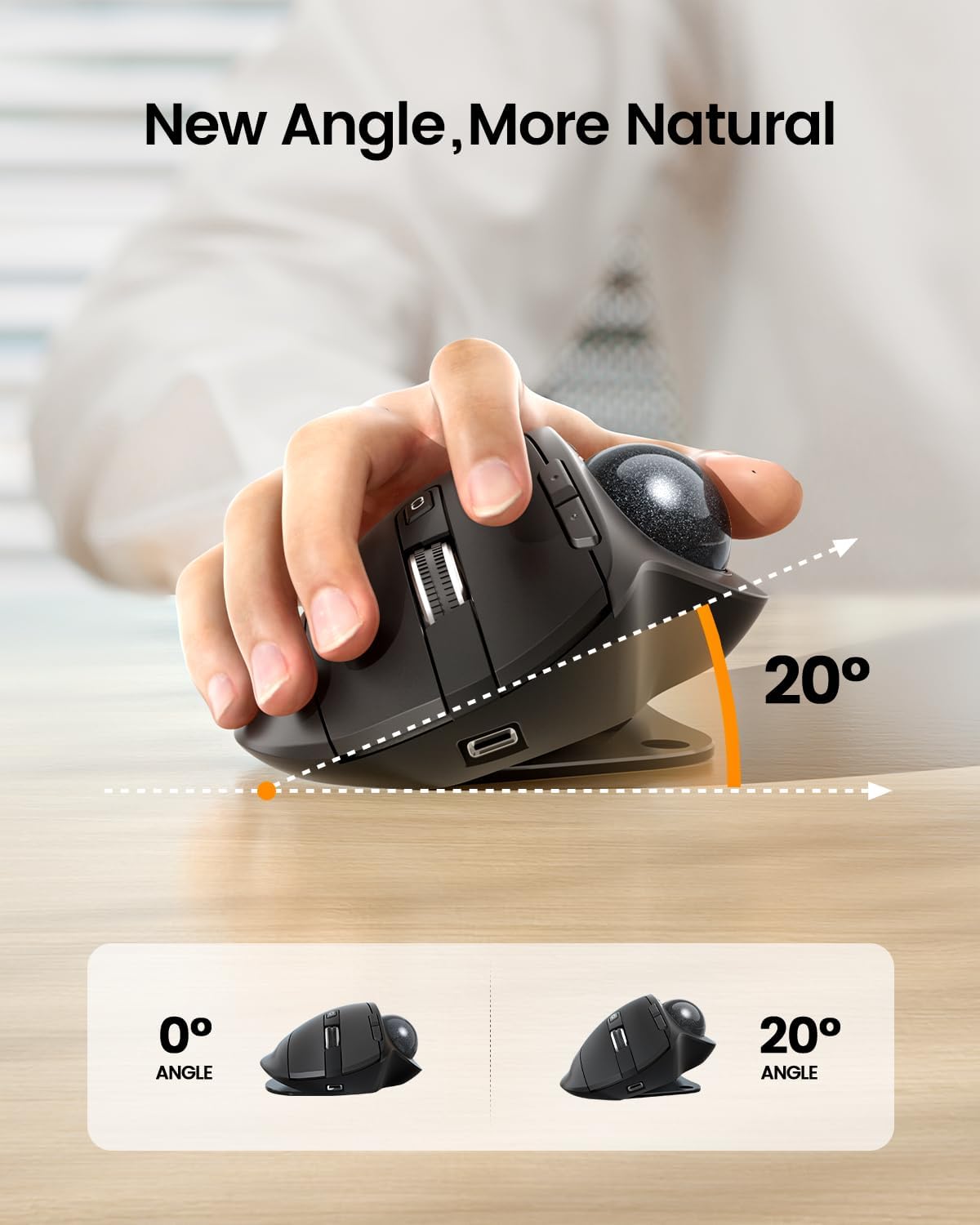
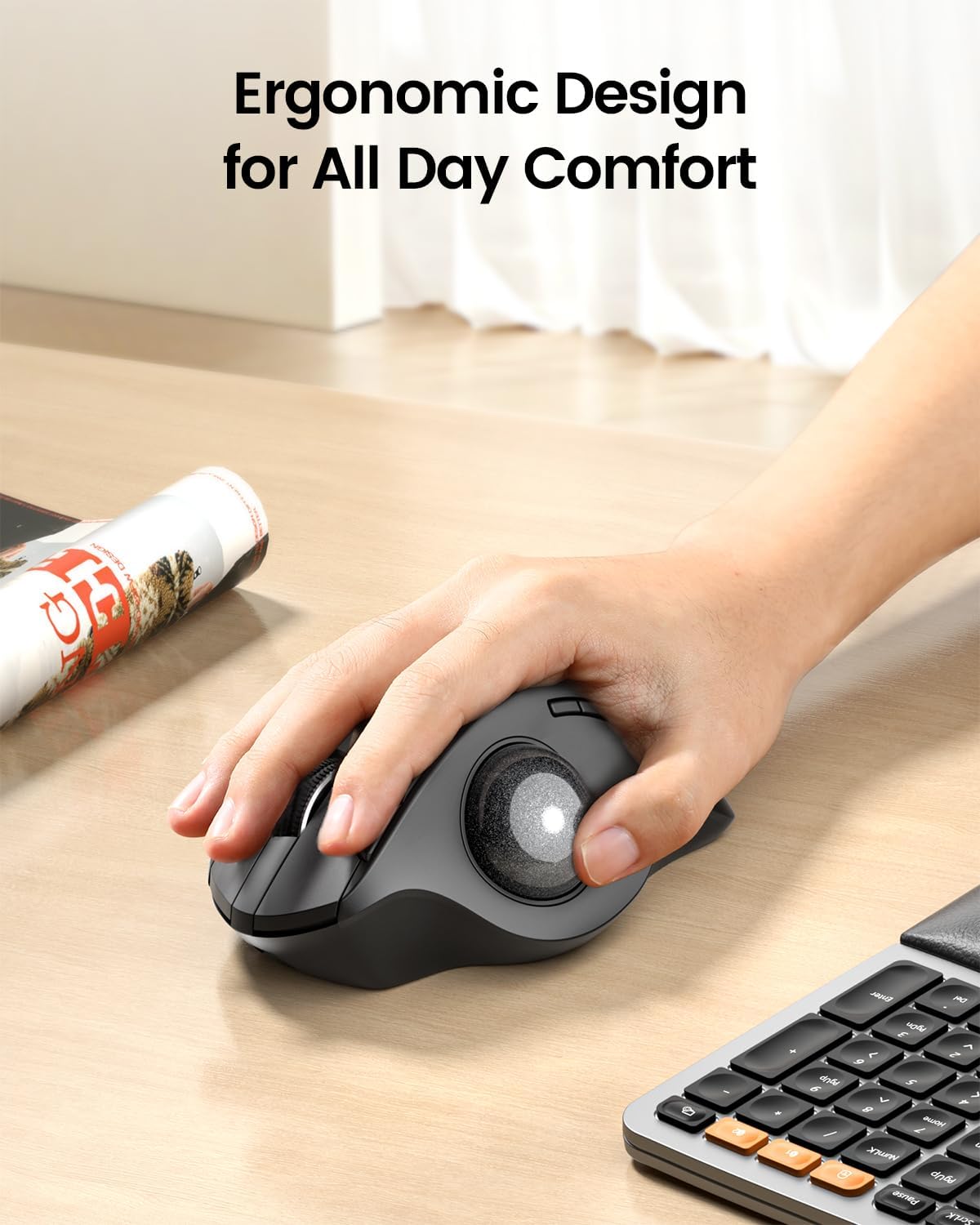
ERGONOMIC DESIGN for MORE COMFORT: Unique adjustable hinge allows you to customize the trackball angle from 0 to 20 degrees according to your needs, ensuring a more natural, comfortable hand position for all-day comfort
Precise Thumb Mouse: ProtoArc trackball mouse provides accurate and smooth tracking, allowing for easy navigation through documents and web pages. You no longer need to move your arm for the movement of the cursor. Your thumb will control the cursor instead via the trackball. It will effectively reduce fatigue and strain on your wrist and arm. More productive in the narrow space, such as the messy desktop, couch, bed etc. Note: this trackball mouse is not an ordinary traditional mouse.
Bluetooth & 2.4 G Wireless Connection: PLUG and PLAY. This trackball mouse has triple connection modes. You can control three devices at the same time, switch freely between PC, laptop and iPad with just one button to improve your efficiency. Compatible with Windows, Android, Mac OS PC Laptop Desktop etc
Rechargeable & Adjustable DPI: The bluetooth Trackball Mouse built-in rechargeable lithium battery. No need to change batteries. Please remember to turn it off if you do not use it for a long time. 5 DPI levels (200/400/800/1200/1600) allows you to change the cursor sensitivity easily and track more smoothly
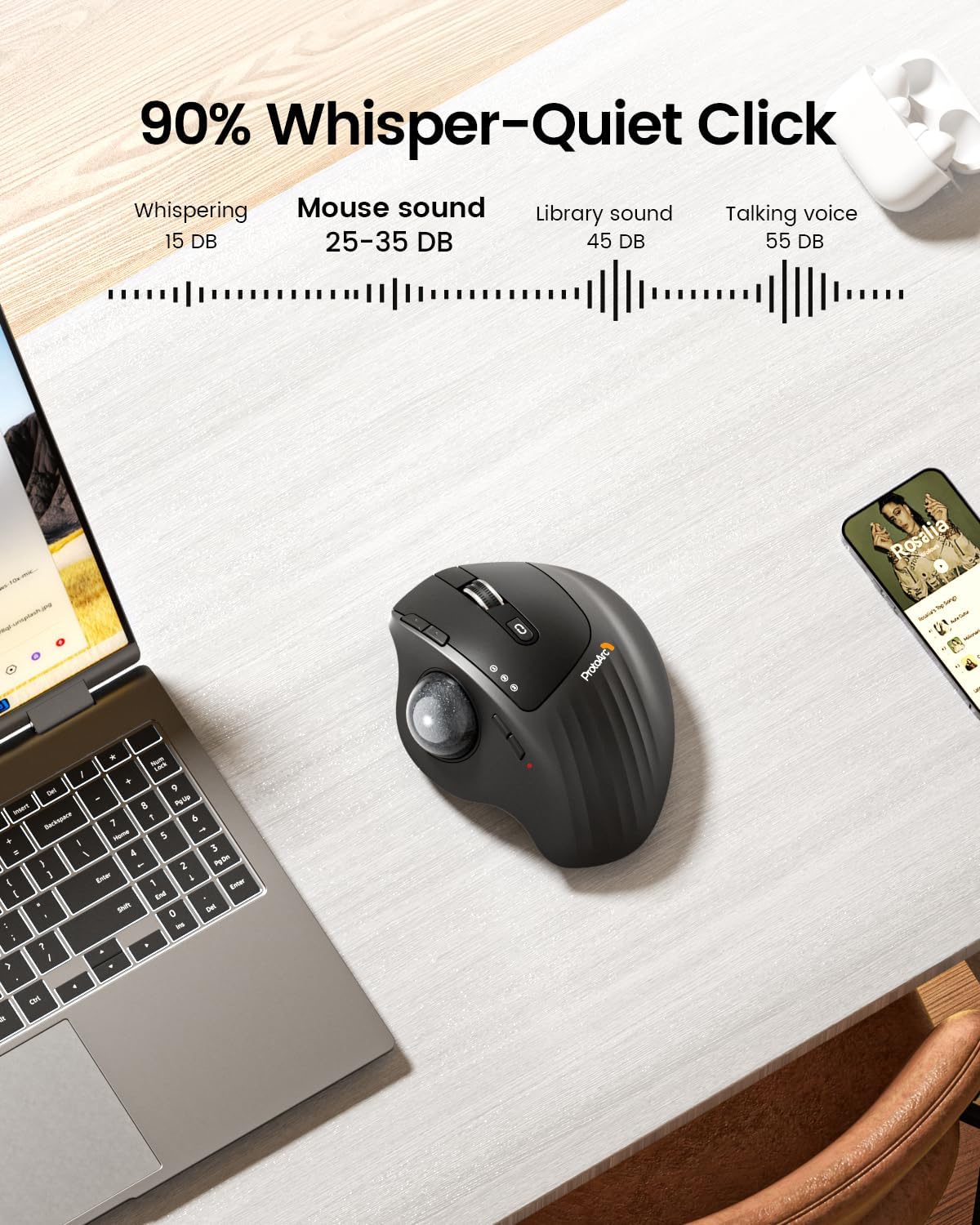
Quiet Clicking: Smooth frosted surface and quiet clicks can bring a better user experience and free your worry about bothering others and keep you stay focused while working. Note: The middle scroll wheel is not silent. All the buttons are non-programmable and the back forward buttons are not compatible with Mac OS system
After using the trackball for a period of time, please clean the trackball and the three white rollers inside the hole to ensure that the trackball is always smooth. Note: When the computer is just started or a large application is running, it may also cause the trackball to not run smoothly
Warm Tips: Since it takes a learning curve to get used to the control method when using our trackball mouse for the first time, it may cause inconvenience to your mouse grip, you can experiment with different hand positions to find what is most comfortable for you. We recommend that you take 1-2 weeks to get used to it, as many users find that it will help reduce the pressure and pain on your wrist caused by long-term use of the mouse and improve comfort
User Reviews
Be the first to review “ProtoArc Wireless Trackball Mouse, EM01 NL Ergonomic Bluetooth Rollerball Thumb Rechargeable Computer Laptop Mouse, Adjustable Angle & 3 Device Connection for PC, Mac, Windows-Gray Ball”

Original price was: $44.99.$39.98Current price is: $39.98.
There are no reviews yet.